|
Inside the NES
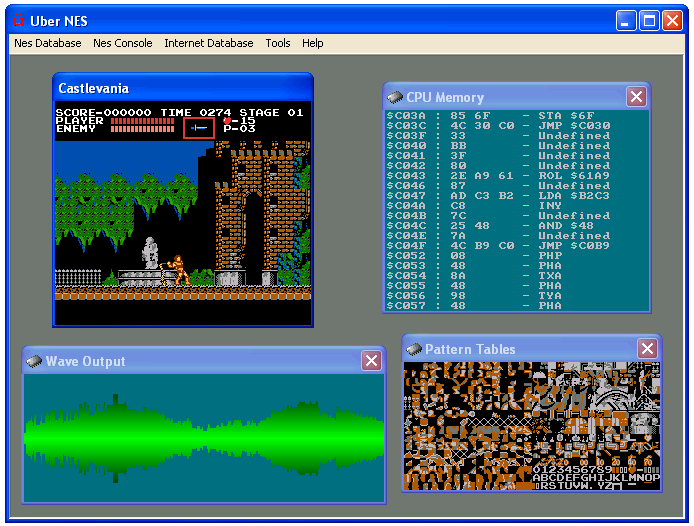
- UberNES offers a rich set of debugging tools for those interested in seeing how the NES works or debugging NES programs.
- Each major component of the NES can be visualized by UberNES in separate windows.
- Since UberNES is a MDI application, viewing the various components is a very natural and clean process
- For those interested in manipulating the state of the NES itself, UberNES provides a debugging console that allows the user to
- Trigger various interrupts
- Change the CPU registers
- Adjust the computational increment (for performing instruction traces, frame traces, etc)
- ...and much more
Other special features
- In addition to the previously-mentioned special features, UberNES also contains the following:
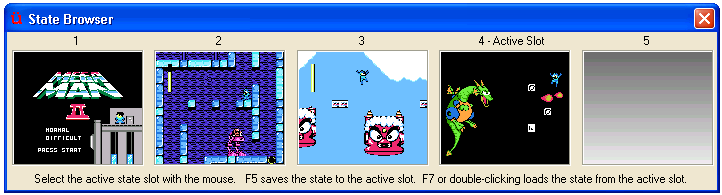
- A load / save state feature with a graphical state browser
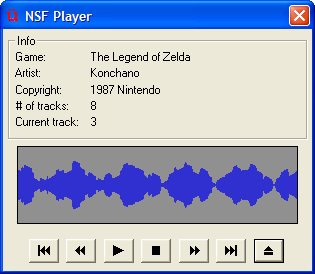
- An embedded NSF player
- Plays back Nintendo Sound Files and includes a simple visualization tool
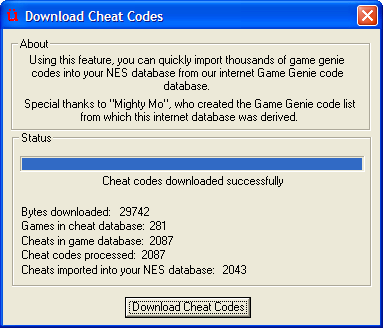
- Comprehensive support for Game Genie codes
- Don't waste your time manually entering Game Genie codes - UberNES can quickly and easily import thousands of Game Genie codes from our online code database!
- These codes are saved in your NES database so you don't have to worry about re-downloading or re-entering codes, ever.
- You can use as many codes as you want, simultaneously. (The actual Game Genie device had a limit of 4 simultaneous codes.)
- Support for joypad acceleration
- You can map the most important UberNES GUI functions to the extra buttons/axes/POV hats on your gamepad. This is great if you are lazy like us, or if you sit far away from your PC when you play games.
- Using the joypad acceleration, you can browse through your NES Databases, select games to play, load and save states, etc - all entirely with your controller, all without having to use a mouse or keyboard.
- A load / save state feature with a graphical state browser